When you cash out $550* in your partnership with Octopus, you will be asked to submit your SSN information on your Driver Dashboard to continue cashing out. You may be asked for this information for one of the below reasons:
If you cash out more than $600 in a calendar year with Octopus, we will use your SSN to send you a 1099 tax form for your Octopus earnings. We will only send you a 1099 tax form if you cash out $600 or more within a calendar year and provided your SSN. By requesting tax information beginning at $550, we can help ensure accounts are prepared for any applicable tax reporting requirements and avoid delays in payment processing or tax form issuance. Keeping your tax information current helps ensure accurate reporting and a smooth payment experience throughout the year.
*Rhode Island is required to provide an SSN at $100 to comply with Rhode Island filing requirements. We will only file a 1099 with the IRS if you cash our $600 or more.
Submitting your SSN is as easy as 1,2,3! If you are asked to provide your SSN information, please complete the below:
Please follow these steps to verify your SSN in the Octopus Driver app:
1. Open the Octopus Driver App:
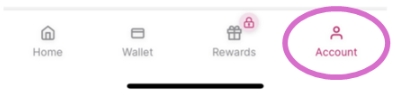
2. Press on the Account category in the bottom right of the screen:
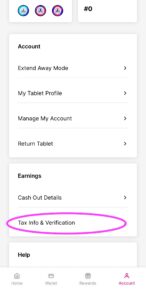
3. Press Tax Info & Verification:
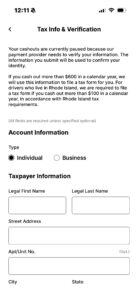
4. Fill out the information in the form:
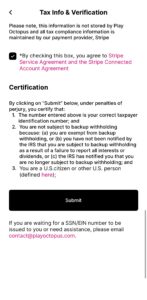
4. Once you fill out all of the information, press Submit:
Please note that it may take 1-2 business days for your information to be reviewed and approved by our payment system provider, Stripe.