
Skip to main content

The Octopus team may ask you for your tablet number to enter competitions or to assist with tablet troubleshooting. You can locate your tablet number on:
-
The back of your Octopus tablet
All Octopus devices are shipped with a sticker on the back showing the tablet number. Please note: To see this sticker, you will need to remove the OctoCover tablet case if your tablet has one.
- Your Driver Dashboard
- Log on to your Driver Dashboard at: account.playoctopus.com
- Click on the three lines at the top left of the dashboard, as shown below:
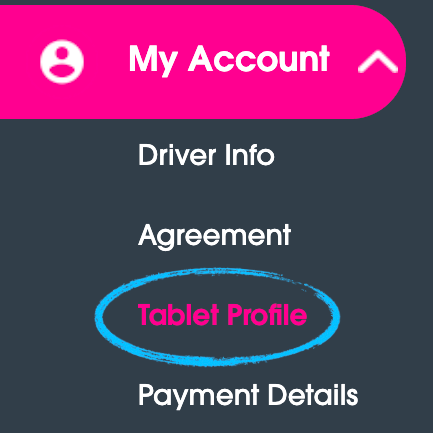
- Next, click on the My Account button on the left side of the screen and the Tablet Profile link, as shown below:
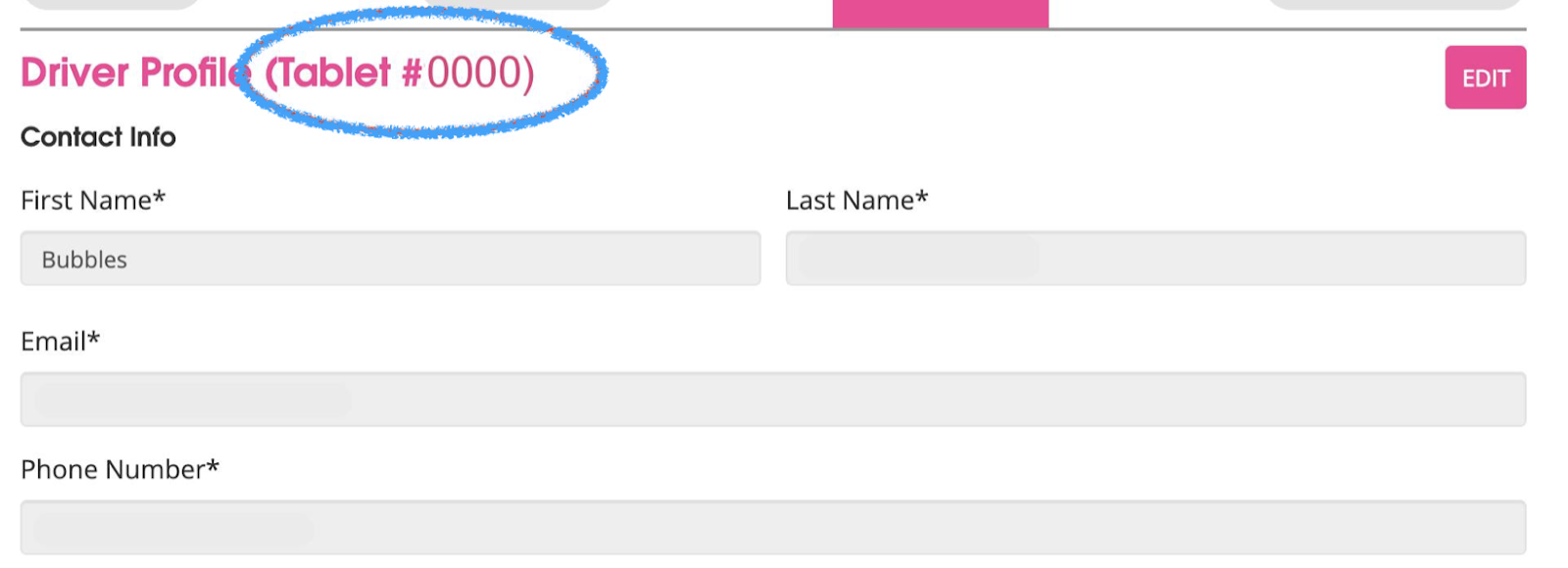
- After clicking Tablet Profile, you will be able to see your tablet number to the right of “Driver Profile,” as shown below: